
Here is a quick tip on exemption check. Have you ever filled out Schedule A and B, and selected the exemptions on each item listed – only to find that you have to go BACK and fix it after finishing the Statement of Affairs because items were not listed correctly on the client intake forms? So have I!
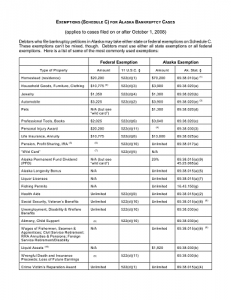
I like to finish up all the schedules down to the SOA before putting in the exemptions – that way, I can just click through, verify it appears correct, and it only takes a few minutes. No going back to delete and reapply exemptions!
Let’s use the 401K as an example. Normally, you aren’t even aware there is 401K until you reach Schedule I and start to review the debtors paycheck stubs. Adding the 401K at this point to Schedule B would cause you to make adjustments to the exemptions; so it’s just easier to wait until you are doing it all at once, instead of bouncing around on the schedule trying to add them individually.
Please note that I am not suggesting entering in exemptions manually. As a non-attorney, you are not authorized to add exemptions yourself – this is why the bankruptcy software we use automatically selects the exemptions that you should use. All we do is select the type of exemption on Schedule A and B, the attorney is then responsible to review the exemption that Best Case suggests and accept or alter it prior to filing.
Ready to start earning income drafting bankruptcy petitions from home? See our online bankruptcy petition training courses at www.713training.com. You can also join our online community at www.navba.org.